

What is this
Every Thursday, I will share a dev diary about what we’ve been working on over the past few weeks. I’ll focus on the interesting challenges and solutions that I encountered. I won’t be able to cover everything, but I’ll share what caught my interest.
Why am I doing it
I want to bring our community along on this journey, and I simply love writing about things I’m passionate about! This is my unfiltered dev journal, so please keep in mind that what I write here are my thoughts and will be outdated by the time you read this, as so many things change quickly. Any plans I mention aren’t set in stone and everything is subject to change. Also, if you don’t like spoilers, then don’t read this.

Space Engineers 2
VS2.3 – Event Controller
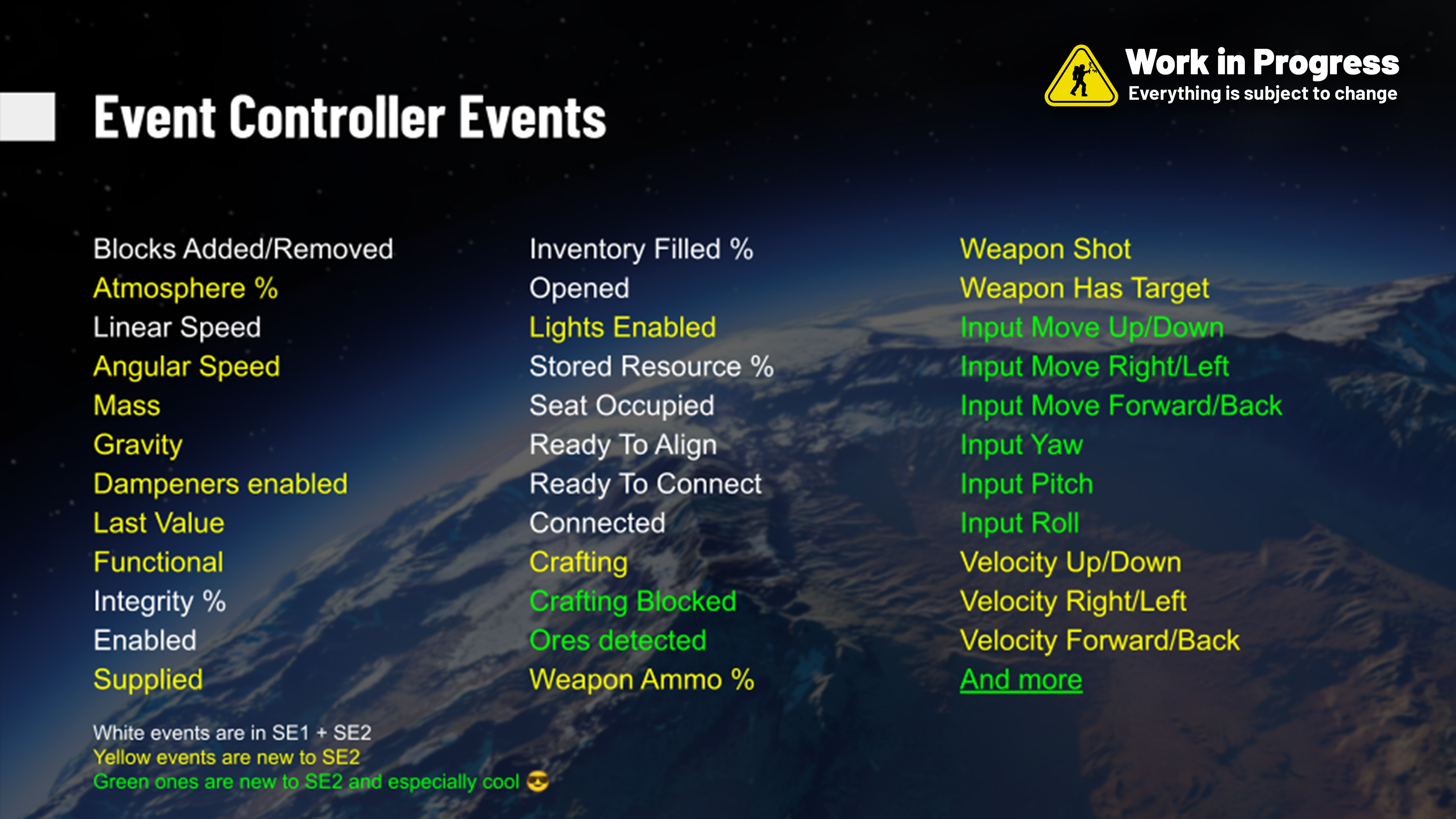
Logan “Jakaria” Tyran, Game Team: “When deciding events to implement for SE2’s Event Controller, we looked back at SE1 to see what vehicles/automatons player’s built that typically required scripts or complex solutions to what could just be a simple event. This includes mechs, subgrid wheel controllers, cranes, turrets, etc.
I’ve seen some really cool use-cases from our designers already- I implemented the Forward/Back Velocity event with the intention of using it for my own subgrid VTOL ship (to rotate the nacelle approximately in the direction of thrust when hovering), and instead the designer used it to make automatic reversing lights for their car.”
Sam Andrews, Design Team: “Here you can see the Event Controllers being used for scriptless controlling of robotic arm using WASDQE and mouse to control its movement!”
Event Controller set to display “Safe Speed Active” when under 20 m/s; otherwise, it flashes red and displays “Safe Speed Off.
And Event Controller used for Breaking/Parking Lights:
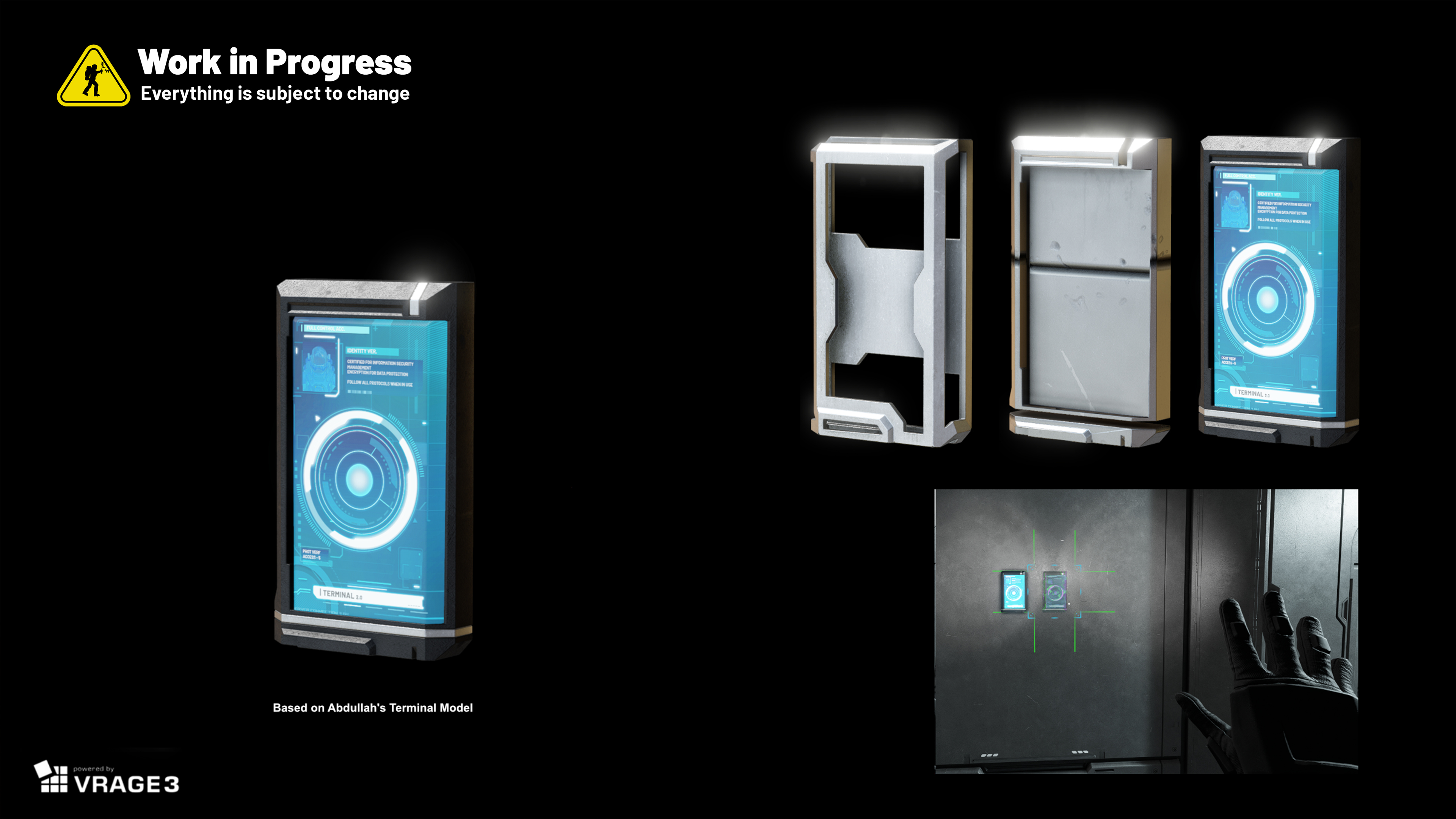
The Art Team is finishing designs of the SE2 Control Panel block – place it wherever you need!
Light Panels
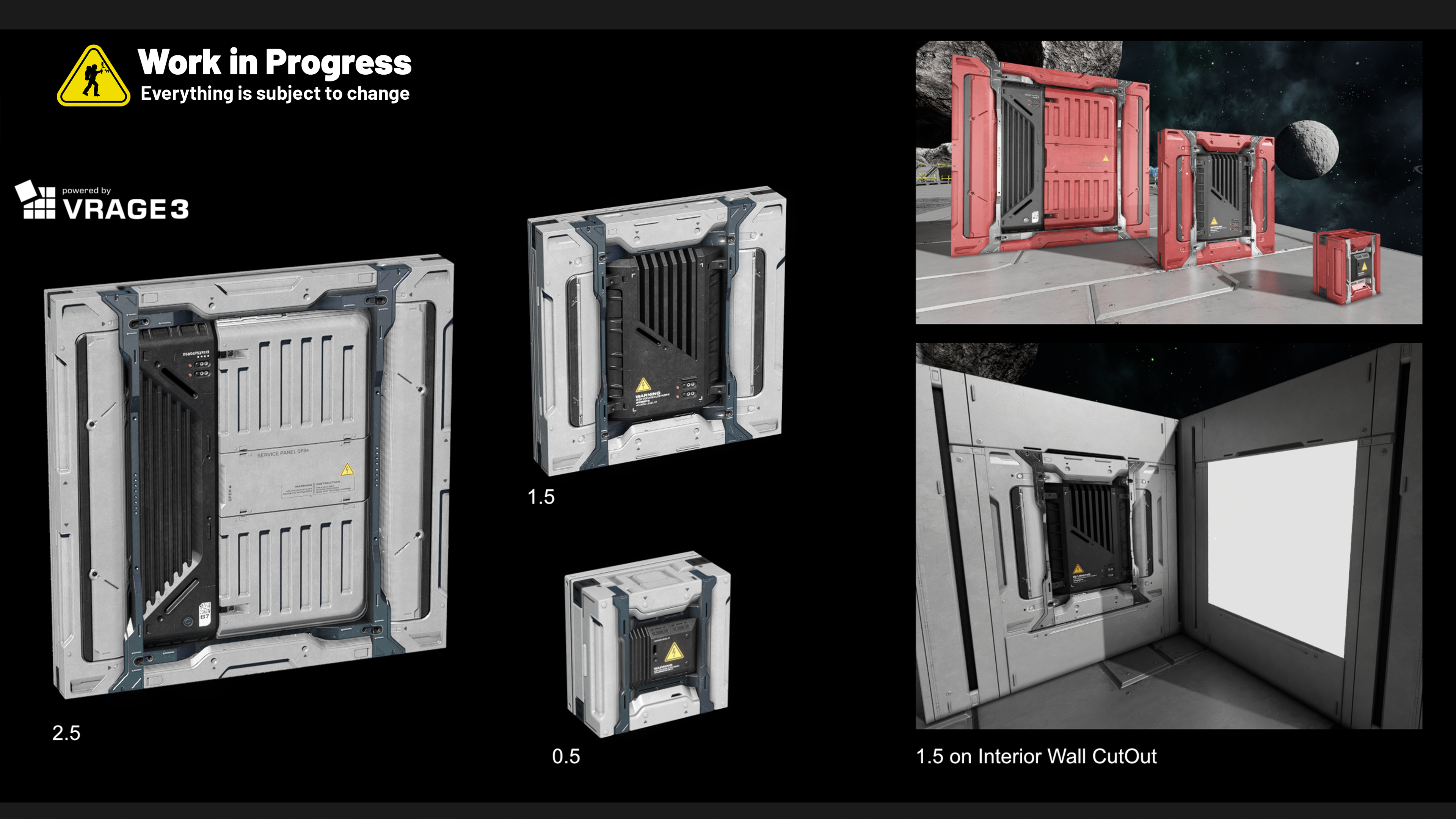
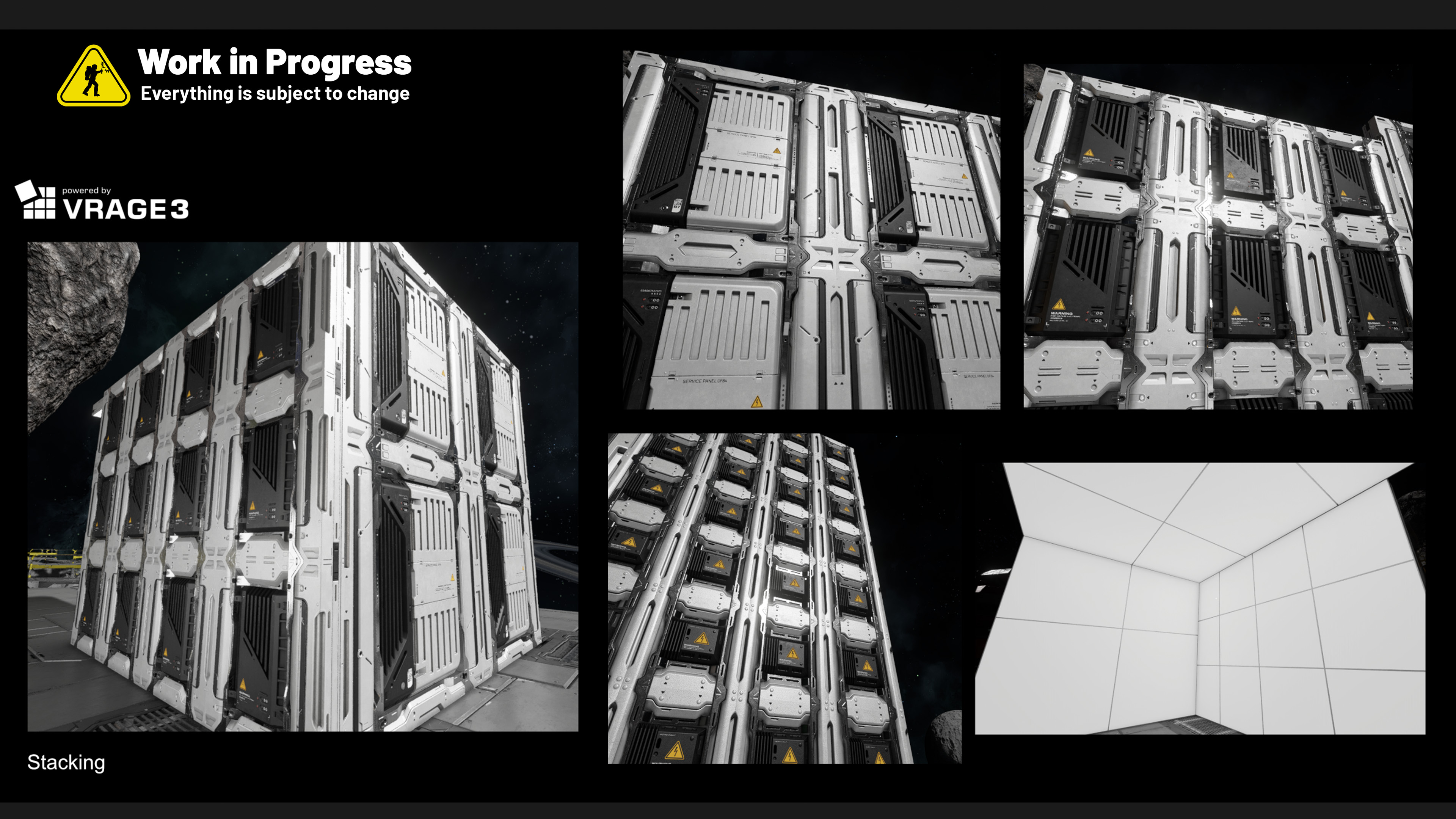
Andre Lopes, Art Team: When creating these light panels, I focused on making them look good in the back, in case the player wants to use them also as decoration. With that in mind, I tried to make sure they all look well stacked, and also have some continuity in the design between sizes. Also tried to shut down emissives when fractured, so that it has better looking destructions.
VS4 – NPCs
Key improvements are being made to the NPC behavior tree, including working voxel surface navigation. It allows NPCs to effectively follow the contours of voxels and asteroids, successfully sticking to the ground.
Patrol & Search Behavior
This behavior dictates that an NPC will patrol its area and investigate if triggered by an alert from sound or partial sight. If the NPC makes direct visual contact with a target during its investigation, it will transition to an attack.
And the Platform Team is developing more internal tools to help us – here you can see our brand new NPC debugdraw.
Question to you: What will be your first Event Controller contraption?
Share your thoughts in the comments below – I read them all, and they’re one of my favorite parts of making our games.
Subscribe and get an email whenever I publish a new post!










Those extra events on the event controller are awesome, I can’t wait to build with them!
A neat idea would be a “control” block where you can activate it from a cockpit and it lets you bind native keys to actions.
For example:
You enter a cockpit or control seat
You use a toolbar action for your control block
You are now controlling the control block and can press your interact key to stop controlling it (similar to how viewing cameras worked in SE1)
Every action would be passed into the control block where you can add toolbar actions, or in the future an extra feature could be the ability to use it from programmable blocks directly
KEEN
ADD A GRID NODE GRAPH SYSTEM TO HOOK UP EVENT CONTROLLERS AND TIMERS AND MY LIFE IS YOURS
Sounds like a great inbetween of usability and script programming!
So player input is considered an event as well. Interesting approach.
I’d like to know more about how exactly different input events are mapped. Axis, scroll wheel, button press and button hold, differences between mouse and controllers and so on.
As far as I understand, the event controller triggers only 2 state slots upon reaching a certain threshold? I’d like to know if there will be a way to map continuous values between functional blocks. For example, map a piston extension percentage to a hinge angle.
If it’s possible, I would most likely build some kind of scrapyard system. I love tearing down ships, so I’m thrilled by the prospect of having an arm that can grab ships and push them into a hopper to grind them down.
Exciting news !
Don’t forget to design intuitive tools for events setup !
for example display every logic bloc of the grid on a special 2d interface to allow for node connection and easy visualization.
and/or, maybe even more interesting, display an overlay when using a “wiring tool” to show connections and actions between blocs in sight of the player, kind of like the multi tool mod does for conveyor chains.
i would like to have an Option to trigger the eventblock by hand. Like with the timer Block in SE1. it’s a small thing, but sometimes you it can make things easier.
I would make a VTOL mix between a V-22 Osprey and a single-rotor helicopter, but for that, I would need the game to let us PICK and LOCK a specific rotor angle. Please, Keen!
good event controller, but we still need programmble block for more
difficult things
The new events sound promising. I just hope that they won’t mean you won’t implement a programmable block, because while event controllers are great for small features like airlocks, misc or robotic arms, programmable blocks enable you to built very complex machines in a simple manner (yes, more complexity is solvable in the future with these new events, but it has limits).
Also I’ve noticed in the robotic arm demo, that there still is a lot of jitter and wobbel similar to contraptions in SE1. I really hope you can fix this in the future, because I want robotic arms that feel stable and strong and not like they will break or disintegrate in a clang explosion any moment now.
agreed. i started playing SE2 again when “mechanical blocks” came out, but they are unuseable for many use cases. i tried making a large rotating arm of drills to flatten out a large area to build on, but the arm couldnt handle any weight and just exploded. i love SE just waiting patiently for the stuff to reach a playable level
Excited to see the event controller.
I have been taking a stab at making a block mod. I wish the tutorials were a little more in depth. Sure there are some that say step by step what to do to make a specific mod but they don’t say why to do each step. That step by step is not very helpful for thinking outside the scope of the very specific mod examples. I wish there was a little more why for each step to explain the purposes. I definitely have the skill set just a little stuck with limited resources so far. AI options give some ideas but have mostly sent me in circles.
I actually figured out making a block start to finish from blender and getting it into game. A little magical to see a custom shape in game. Need to tweak it a little for how it looks but I might record my steps for the next one and make a video for it.
ROBOTIC ARM IS AWESOME!
Question: Will it be possible to make robotic arms to control their outside coordinates with inverse kinematics (WSAD controlling XY coordinates and QE Z Axis, up and down (Maybe even holding Ctrl + WSADQE to control ABC Rotating axis)).
Kinematics (controlling each axis separately with 2 buttons, so 1. axis W, S; 2. axis A, D; 3. axis QE), which you showed was really great!
Inverse kinematics would require using advanced math formulas to determine the robotic arm’s kinematics (Jacobian matrix), BUT the result would be amazing!
We could have something like a custom turret block, but for a custom robotic arm (Maybe there could be a limit on how many axes it supports, like max 6)
I worked with ABB Robotic arms, and those are awesome.
Would be amazing to do something similar in SE, especially in terms of automation, industry, coolness, mechs, walkers, auto farming, and salvage etc..
Greetings from Slovenia
Button to purge all the bottles, for a submarine to surface quickly.
I think it is gonna look epic when a large ship comes rocketing out of the bottom of the ocean. Will make a cool video 😉
I like the directione the Event Cortroller is going, but we could take it further. What about an event “Key pressed” with the key selected by the player? The “key” could also be a mouse button or a button on a joystick. To make it feel plausible, it could be limited to situations where the player sits in a cockpit or control seat, where you can imagine there are lots of buttons and switches.
Now what would *my* first use of the new events be? An alert for enemies nearby, powered by the signal for “gun has target”, but without the gun automatically firing.
Hi, I have few small little questions:
– How is the progress on water update? there has been no recent news lately. Technically it should come in the summer
– How close are we from 2.3 VS ? It appears to be still a month away.
– When we will get the new blocks you are working at ? eg: interior passage/walls
I wish the control panel block didnt exsit at all, and you could just access a blocks terminal from anywhere. Would save a lot of time/hassle
👍