
- New Prototech & Factorum Encounter
- Services Terminal & Economy Improvements
- Ping Button for Lost Grids
- Modernized Space Respawn Ship
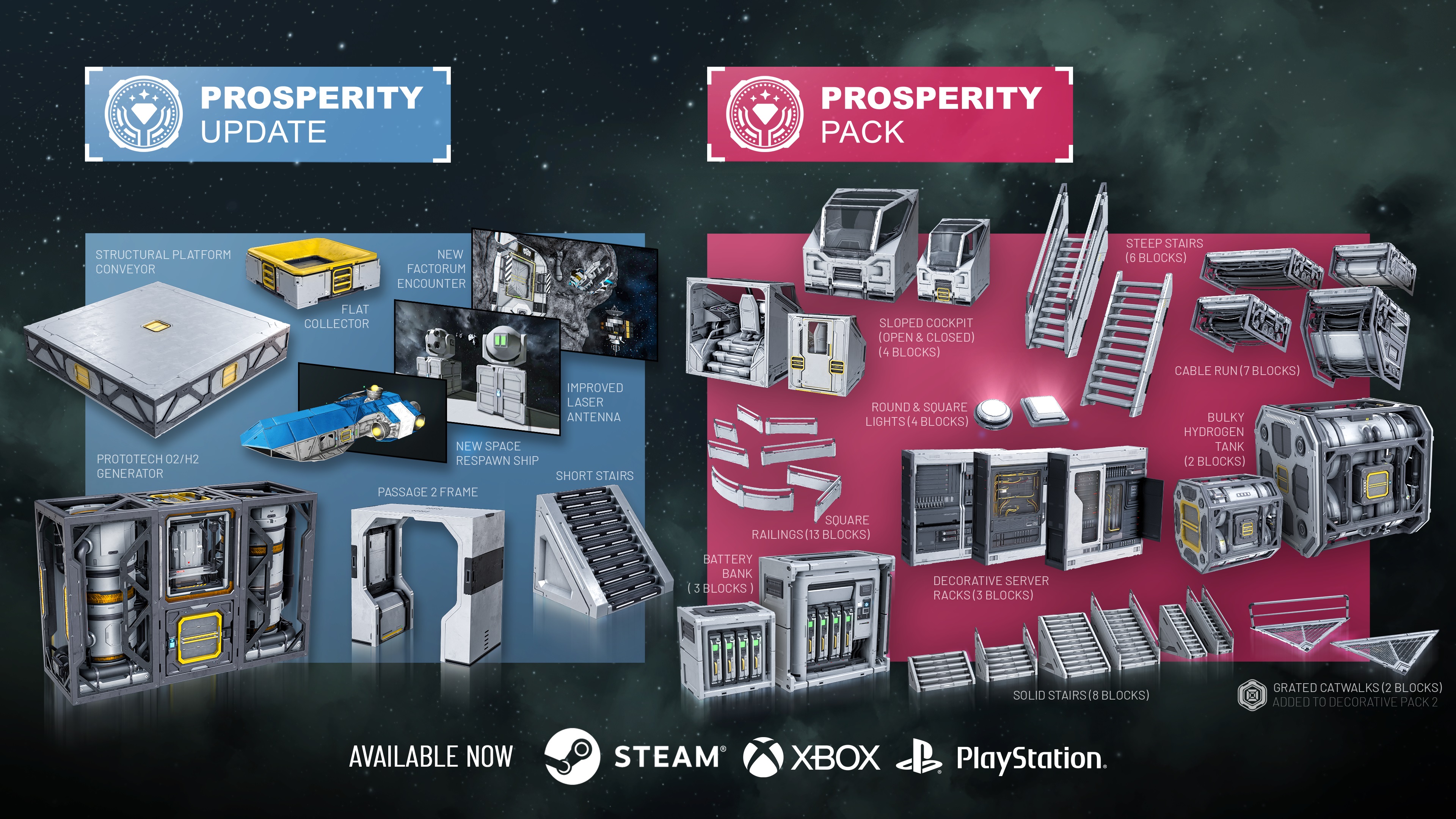
- Prosperity Pack with over 50 new blocks
- …and much more!

Hello, Engineers!
The Prosperity Update makes Space Engineers feel more alive, useful, and rewarding: better economy services, safer grid recovery, and more ways to build the kind of base, station, or ship that feels great.
Explore a new Factorum encounter and hunt down the new Prototech O2/H2 Generator, track missing ships with the new Ping Grid button, and enjoy improvements to Projector, Contracts, the Services Terminal and economy systems. We’ve also added a small grid Flat Collector – a handy new block for all the farmers among you.
Everything in this update is free. Alongside it, we’re releasing the Prosperity Pack with new decorative blocks and variants to expand your creative options.
Free Content
If you own Space Engineers, everything below is yours – no extra purchase needed.
New Factorum Encounter
Apparently, the Factorum have not shown us everything they have been hiding.
New rumors are spreading through the void: strange signals and valuable Prototech waiting for any engineer bold enough to go after it. Of course, that means some of you are already plotting the fastest way in – and the most explosive way out.
A new Factorum Global Encounter has been added into your worlds. Track it down, break through their defenses, and see what secrets you can bring back in one piece. As always, getting your hands on it will not be as simple as grinding down a few blocks and flying home.
Services Terminal & Economy Improvements
Economy 2 added new ways to store, repair, recover, and salvage grids. With this update, we focused on making those systems clearer, safer, and more predictable in normal gameplay.
Services Terminals now give you better feedback about what is happening with your stored grids. If a grid cannot be stored or deployed yet, the terminal should do a better job explaining why – for example, if the grid is moving, recently damaged, or otherwise not ready. This should make grid storage feel less like a black box and more like a proper station service.
We’ve also improved how grid retrieval works. Server owners can now control whether stored grids can be pulled from very distant locations, and retrieval timing can take distance into account. For players, this means Economy 2 servers can be tuned for different playstyles – from convenient ship storage to more grounded logistics where location matters.
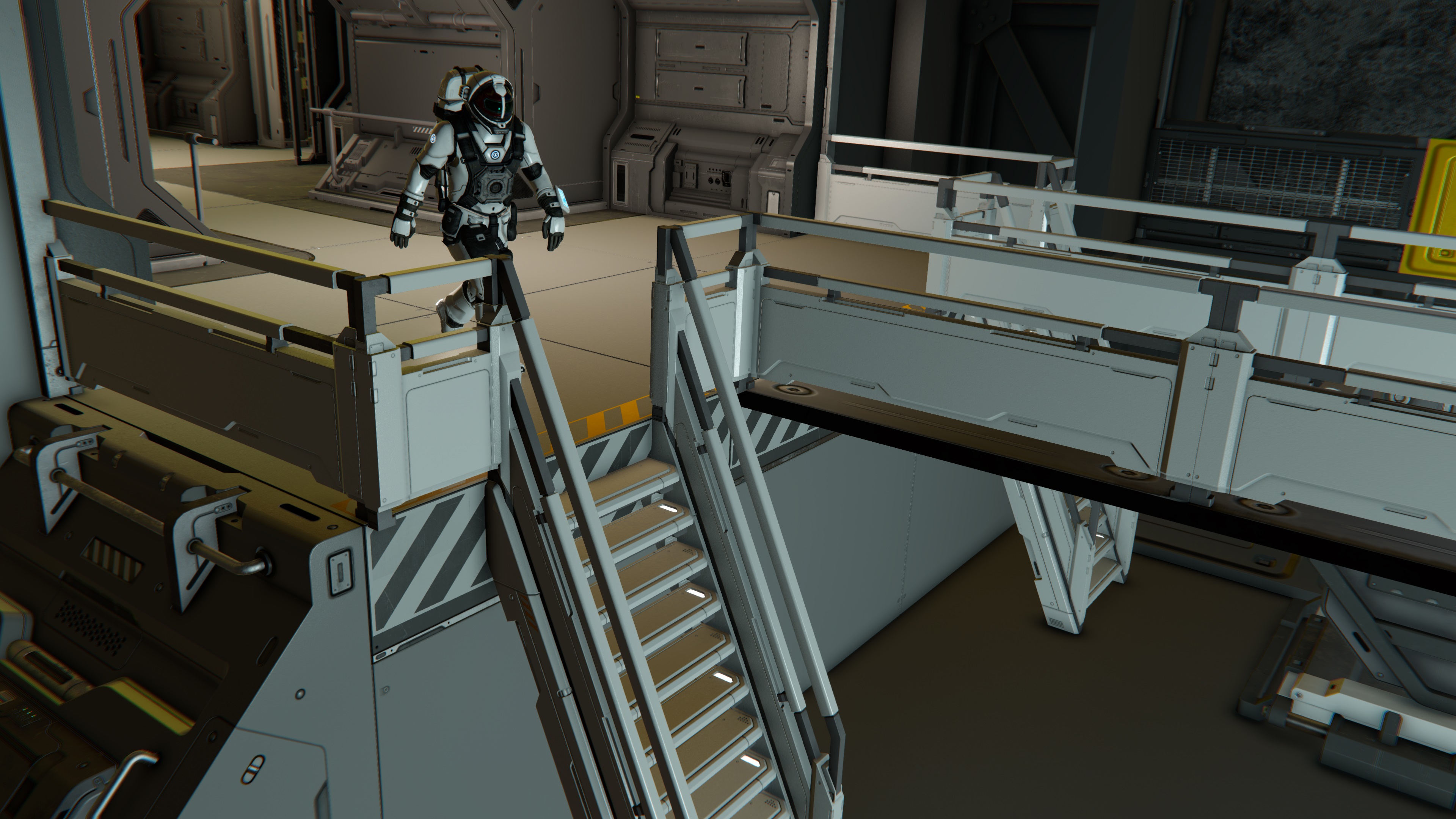
Precision deployment is getting a useful improvement too. You can now set the Precision Mode marker to your current character position, making it much easier to bring a stored grid back exactly where you need it. Less guessing, less nudging, fewer “almost perfect” deployments.
Repair, salvage, and storage rules have also been tightened up. Grids with hostile blocks attached are now handled more carefully, helping prevent cases where players could bypass hacking or ownership rules through station services. Modders and scenario creators also get more flexibility, including new options for enabling repair and salvage services on player-made grids.
Player stores also have a new option to opt out of Item Search. This gives shop owners more control over how their listings appear, especially if they want to run a more private store, keep certain offers local, or avoid cluttering global search results. Your store can still exist and function normally – it just does not have to advertise every listing to everyone through Item Search.
We’ve also improved some of the wording around Store Blocks and Market Search, making listings and search behavior easier to understand.
Overall, these changes should make Economy 2 feel more reliable in day-to-day play – whether you are storing a hauler, recovering a damaged ship, running a server, or building a custom scenario.
Projector Functionality Improvements
We’ve cleaned up several projector controls and UI behaviors. Movement and rotation directions should feel more consistent, sliders should behave more predictably, and projector settings that were previously locked at various stages can now be manipulated at any time..
The goal is simple: less fighting the interface, more building the grid you actually wanted to build – especially when working with complex blueprints or finishing repairs after a rough encounter.
Ping Button for Lost Grids
Lost your ship again? It happens. Space is big, GPS management is a lifestyle, and sometimes your favorite grid ends up somewhere you definitely meant to remember.
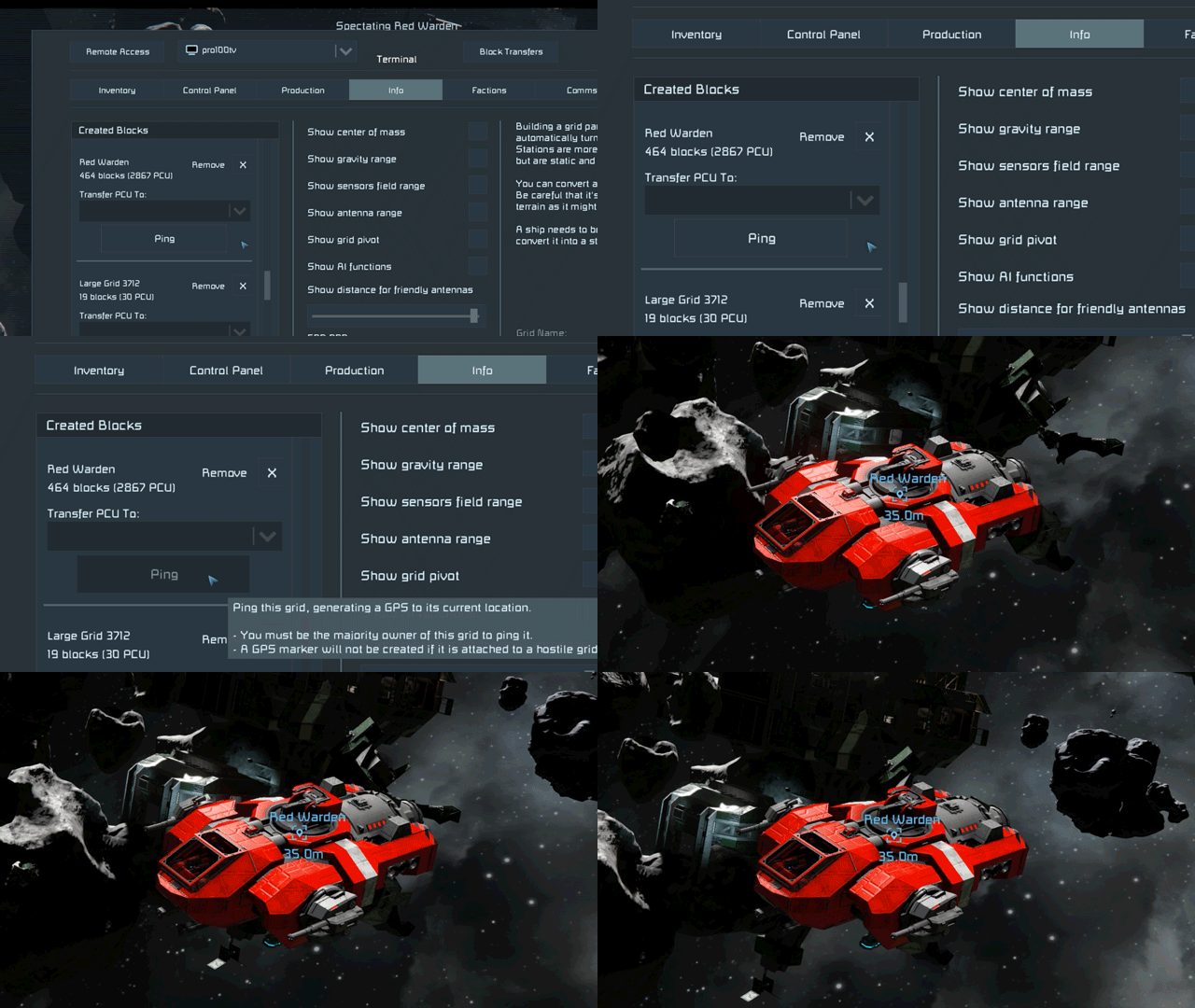
The new Ping Grid button helps with that. From the Info screen, you can now generate a GPS point for one of your grids, making it much easier to track down ships, rovers, stations, and other creations you may have misplaced during your adventures.
The GPS point marks the grid’s current location and stays available until you remove it, so you can find your way back later. It’s a simple improvement, but for anyone who has ever lost a mining ship, scout rover, or “temporary” construction platform – this one should save some headaches.
Modernized Space Respawn Ship
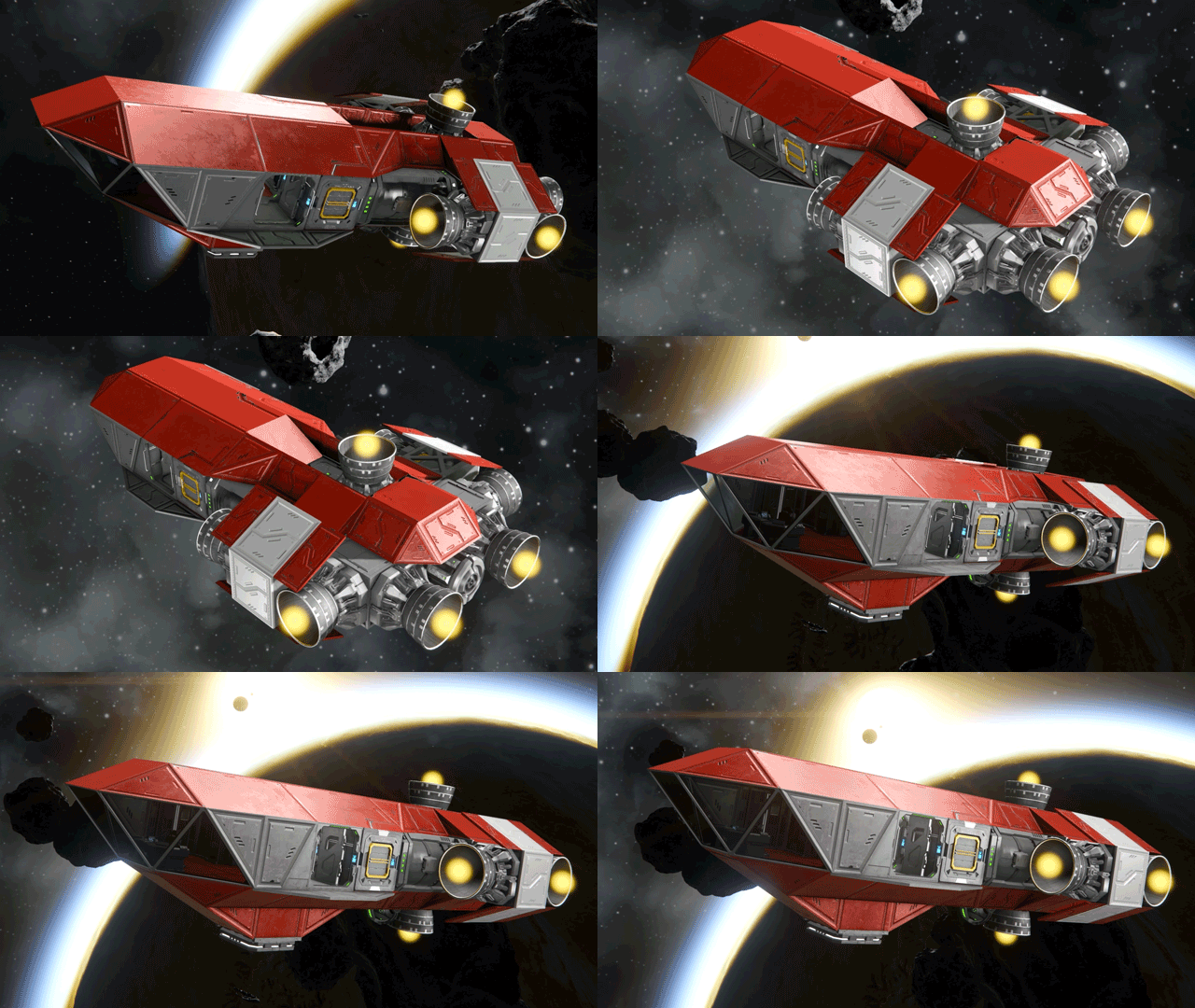
The Space Respawn Ship has been modernized and rebuilt with survival in mind. Important systems are easier to see at a glance, so new and returning engineers can better understand what the ship has, what it needs, and how to keep it flying. It should serve as a better starting point – giving you exactly what you need to start your adventure out in the void.
New Blocks
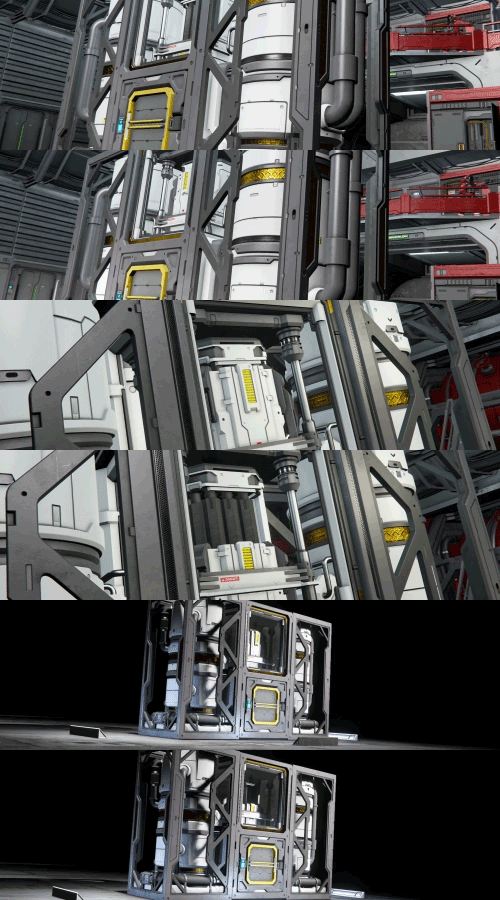
Prototech O2/H2 Generator
(1 block, L grid)
The latest Factorum innovation is here! Refill fuel and oxygen up to 10x faster, using less power than a standard generator.
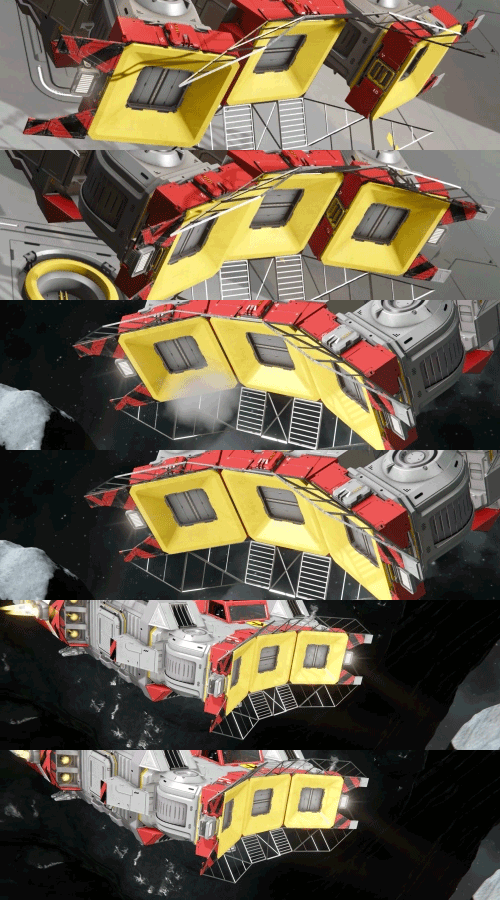
Flat Collector
(1 block, S grid)
Slim, sleek, and easy to fit into compact builds. Harvest crops like a pro with this space-saving collector!
Structural Platform Conveyor
(1 block, L grid)
You asked, and we heard you! Hide conveyor lines inside your Structural Platform foundations for cleaner, smarter ship and station layouts.
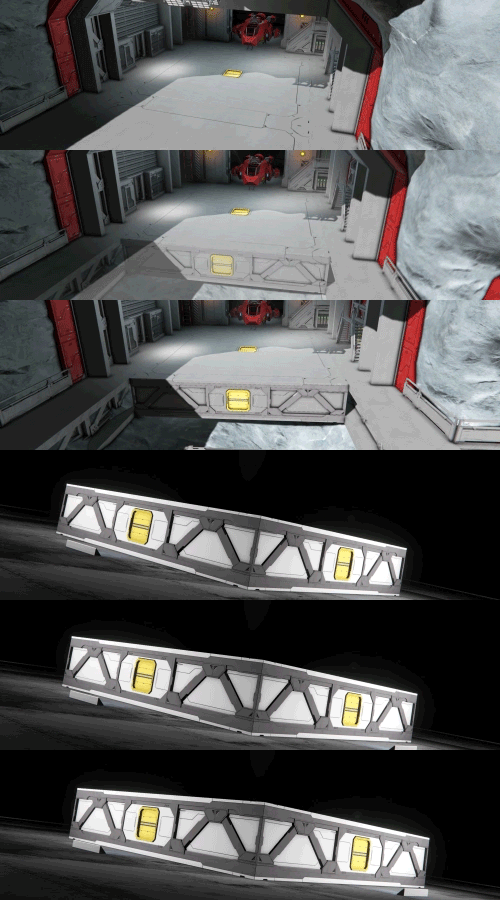
Short Stairs
(1 block, L grid)
Small space? No problem. These airtight stairs keep compact builds walkable, connected, and pressurized.

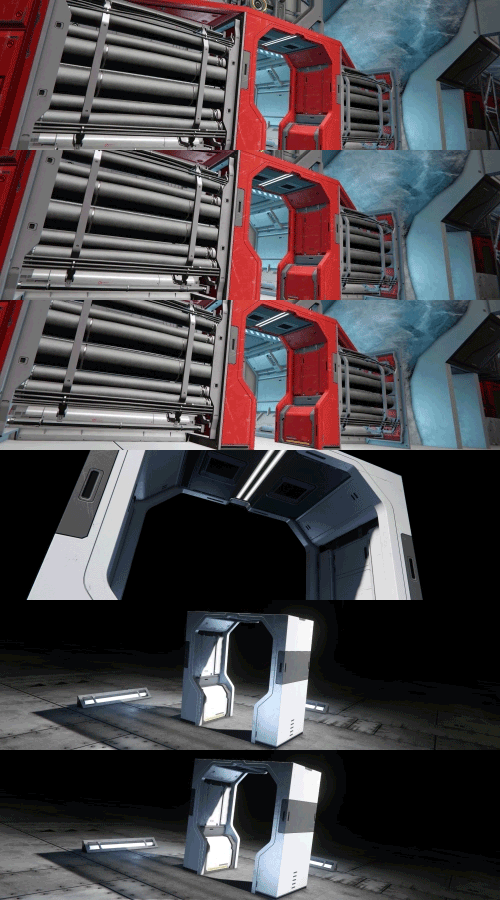
Passage 2 Frame
(1 block, L grid)
A sleek, space-saving extension of the Passage 2 block. Use it to polish your interiors, create compact access points, or frame machinery and thrusters with style.
Additional Improvements
- Added skins/suit variations to NPC characters on Trade Stations.
- You can now find Story Datapads on Economy Stations
- Laser Antenna UX Improvements
- Wheel Indicators for better build orientation
- DLC Badges for Purchased DLCs can now be used as Faction Icons
- Improved lighting effects for Welder and Grinder particles (Softer light with lower flash intensity)
- Rebalanced audio effects for many of the game’s louder sounds.
There are many additional improvements and fixes in the Economy 2 Update – you can explore everything included in the detailed Changelog.
Free DLC Content Additions
During this update, we are adding new content to existing DLCs. Players who already own these DLCs will receive the new content for free as part of the update.
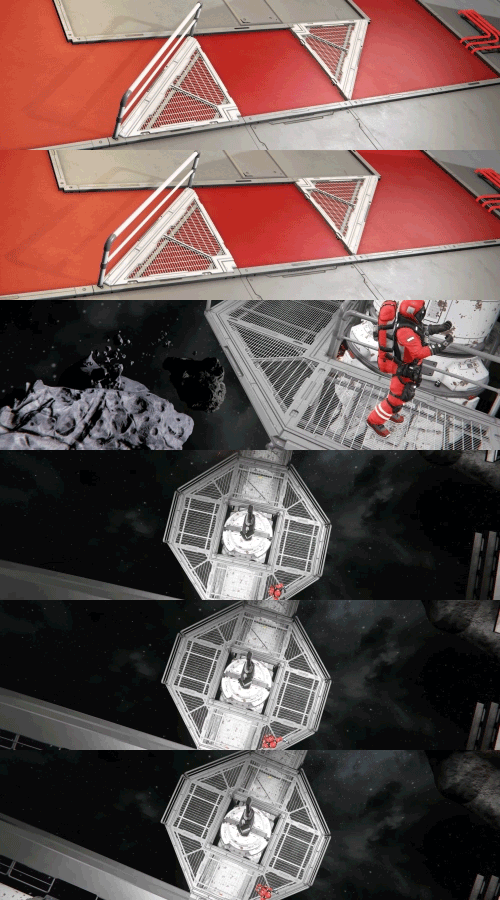
Triangular Grated Catwalks (Added to the Decorative Pack 2)
(2 blocks, L grid)
Prosperity Pack
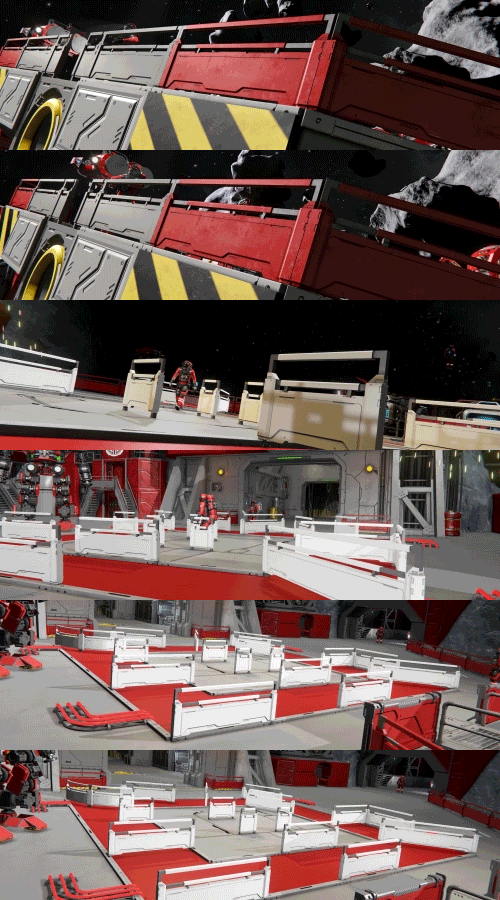
The Prosperity Pack adds over 50 new blocks – Sloped Cockpits, Bulky Hydrogen Tanks, Steep and Solid Stairs, Battery Banks, Square Railings, Decorative Server Racks, Cable Runs, Round and Square Lights. These are cosmetic and decorative blocks that don’t affect gameplay balance.
If you enjoy Space Engineers and want to support its continued development, this is a great way to do it – and you’ll get a lot of new building options in return.
The price of the Prosperity Pack is $4.99 USD or your regional equivalent.
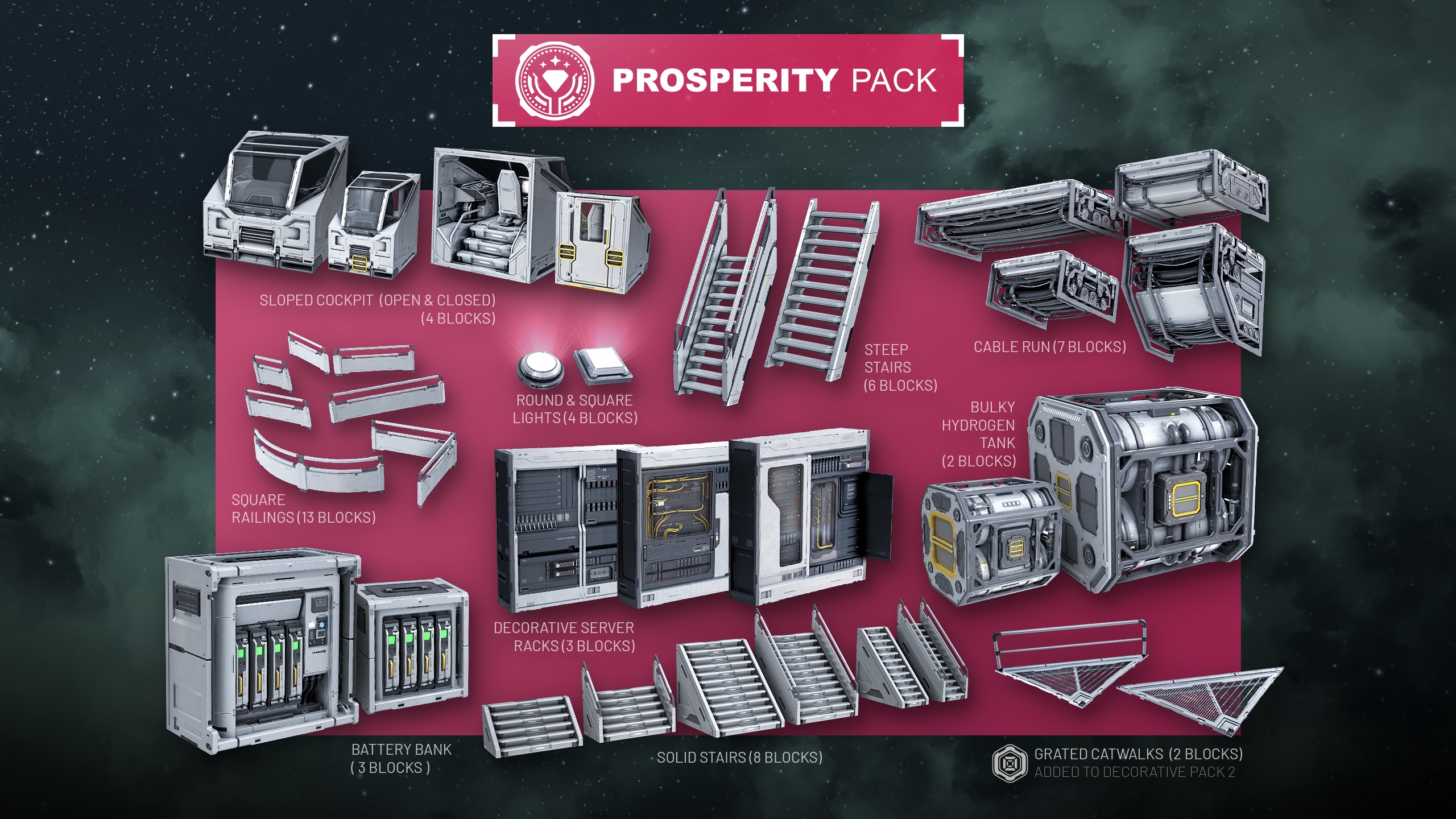
This package includes:
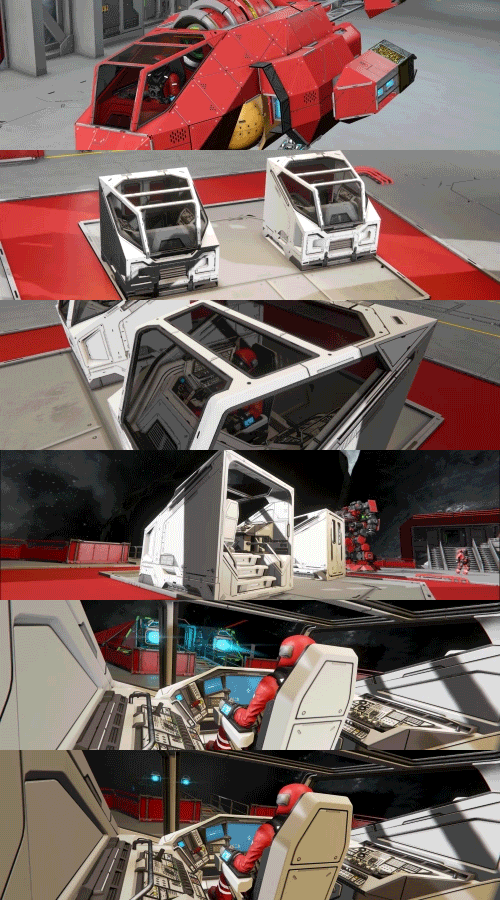
Sloped Cockpit
(2 blocks, S grid + 2 blocks, L grid)
A sleek, modern cockpit for both grid sizes, with open and closed variants to match your build, your role, and your style.
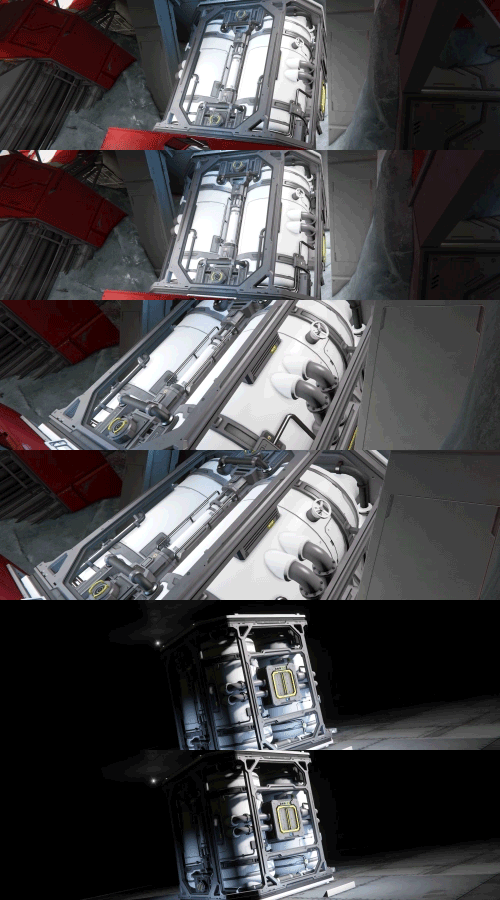
Bulky Hydrogen Tank
(1 block, S grid + 1 block, L grid)
The bulky frame of this hydrogen tank houses four large fuel storage cylinders, giving industrial builds a fuller, heftier look.
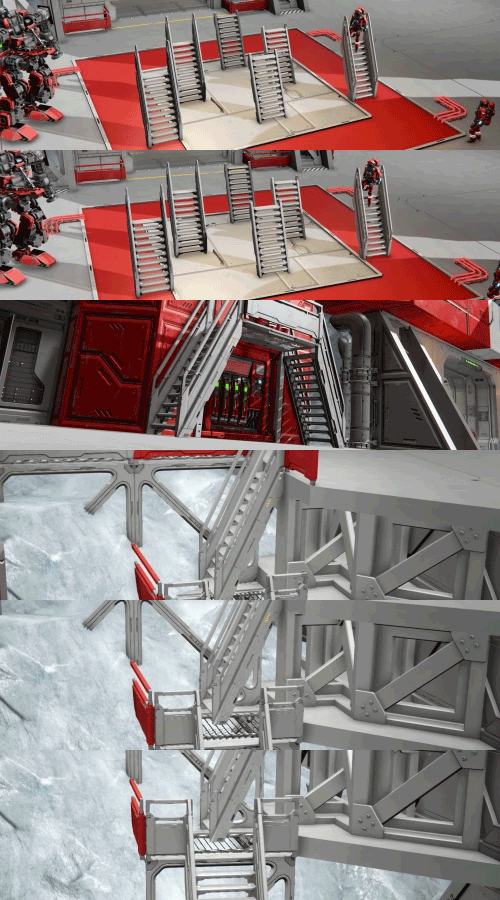
Steep Stairs
(6 blocks, L grid)
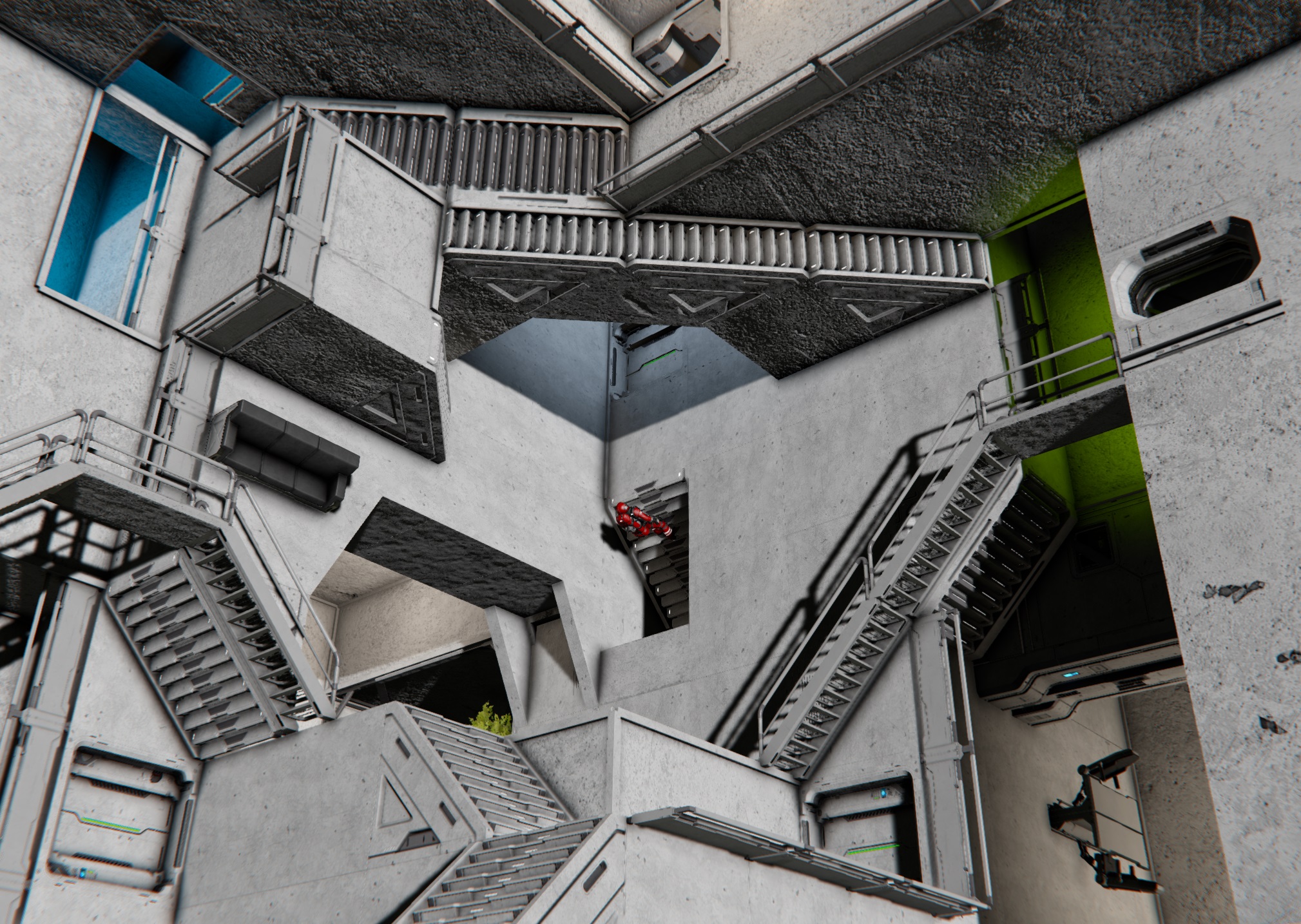
Steep, narrow stairs built for tight spaces, giving compact builds a clean way to move vertically when every block counts.
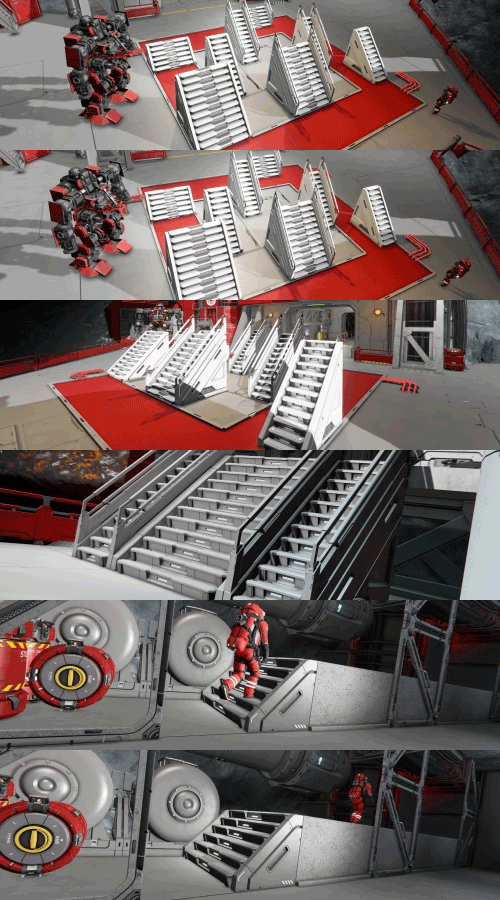
Solid Stairs
(8 blocks, L grid)
Sleek solid stairs for clean, vertical transitions. Available in multiple variants with railed and railless options to fit more builds and interior styles.
Battery Bank
(1 blocks, S grid + 2 block, L grid)
A compact battery bank made from smaller power modules, saving space while providing reliable power for smaller builds.

Square Railings
(13 blocks, L grid)
A sturdy safety railing with a solid frame, perfect for adding structure, protection, and visual variety to walkways and platforms.
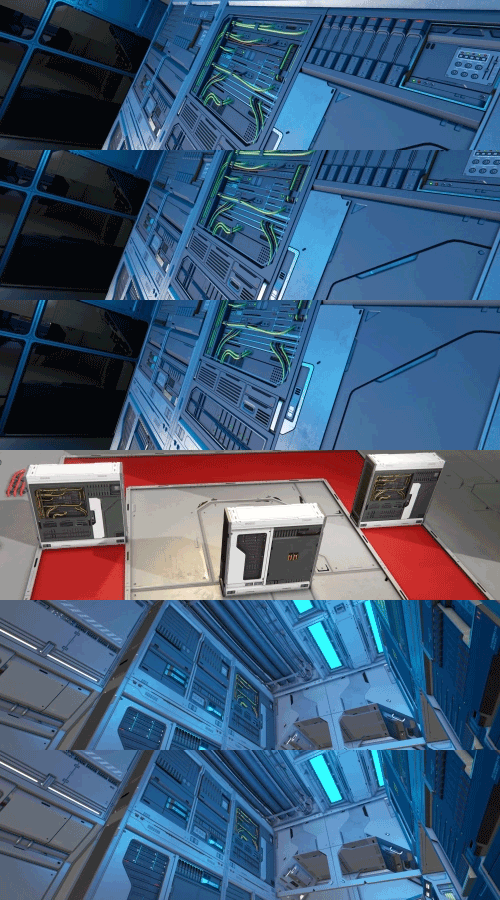
Decorative Server Racks
(3 blocks, L grid)
Decorative server racks packed with hardware and details, perfect for building command rooms, data centers, and high-tech interiors.
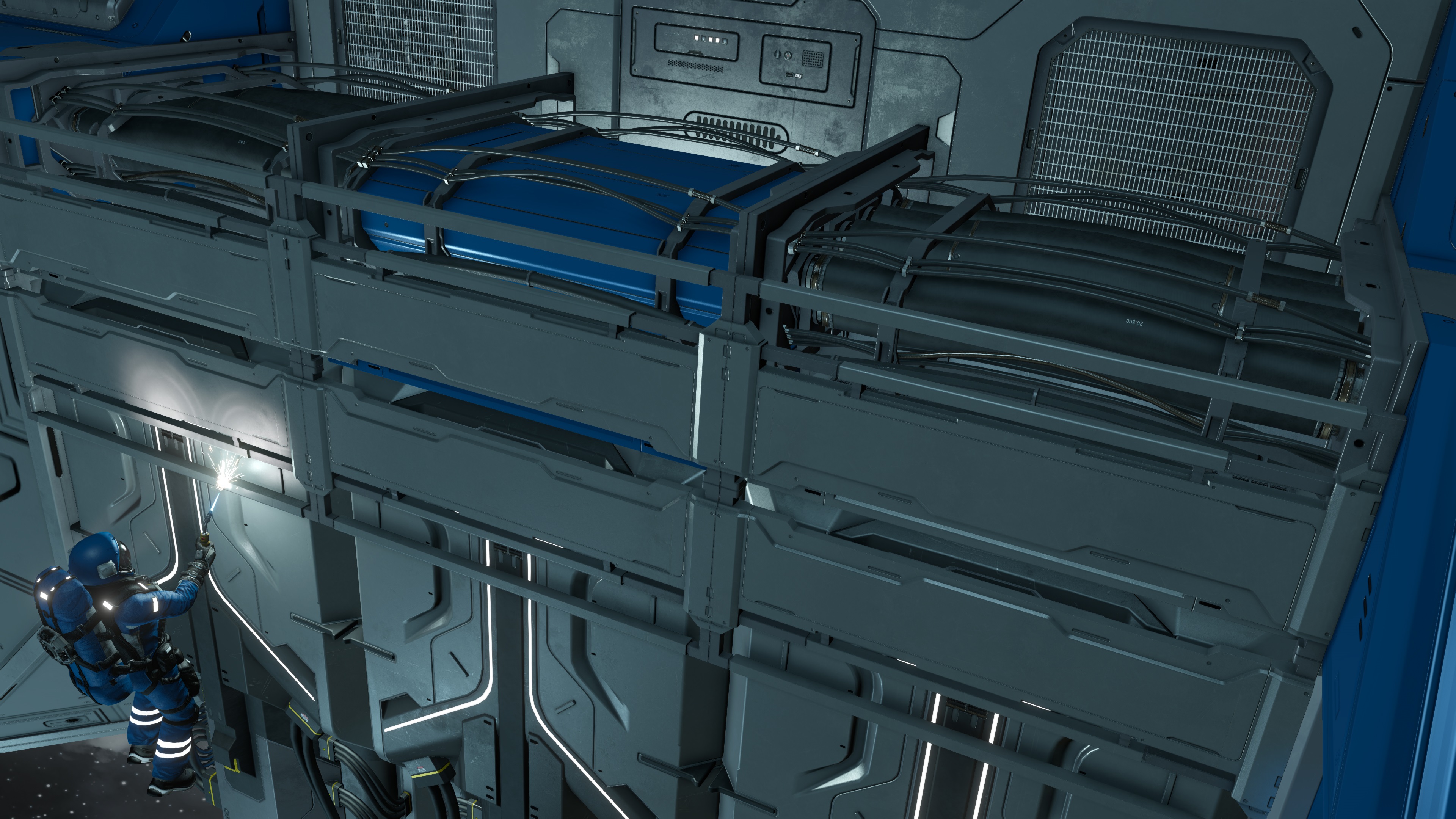
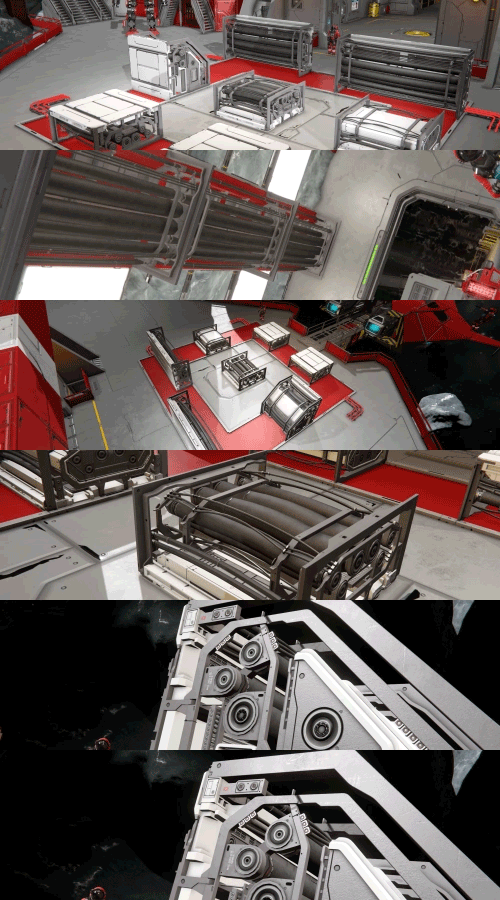
Cable Run
(7 blocks, L grid)
Thick industrial frames packed with large cables, perfect for exposed parts or technical detail to corridors, machinery rooms, and workspaces.
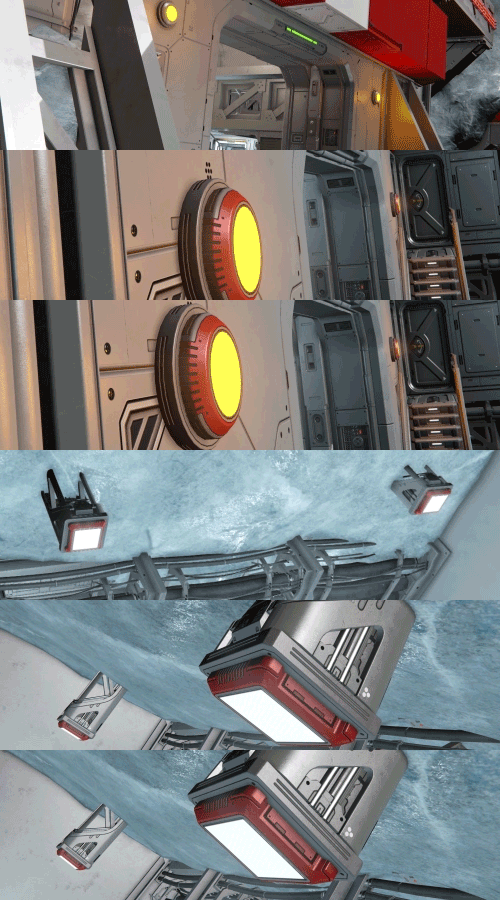
Round and Square Lights
(2 blocks, L grid + 2 block, S grid)
Round and Square light fixtures with large, visible emitters. Perfect for illuminating interiors, adding strong visible light sources to runways or landing pads, and keeping your builds bright.
What’s Next
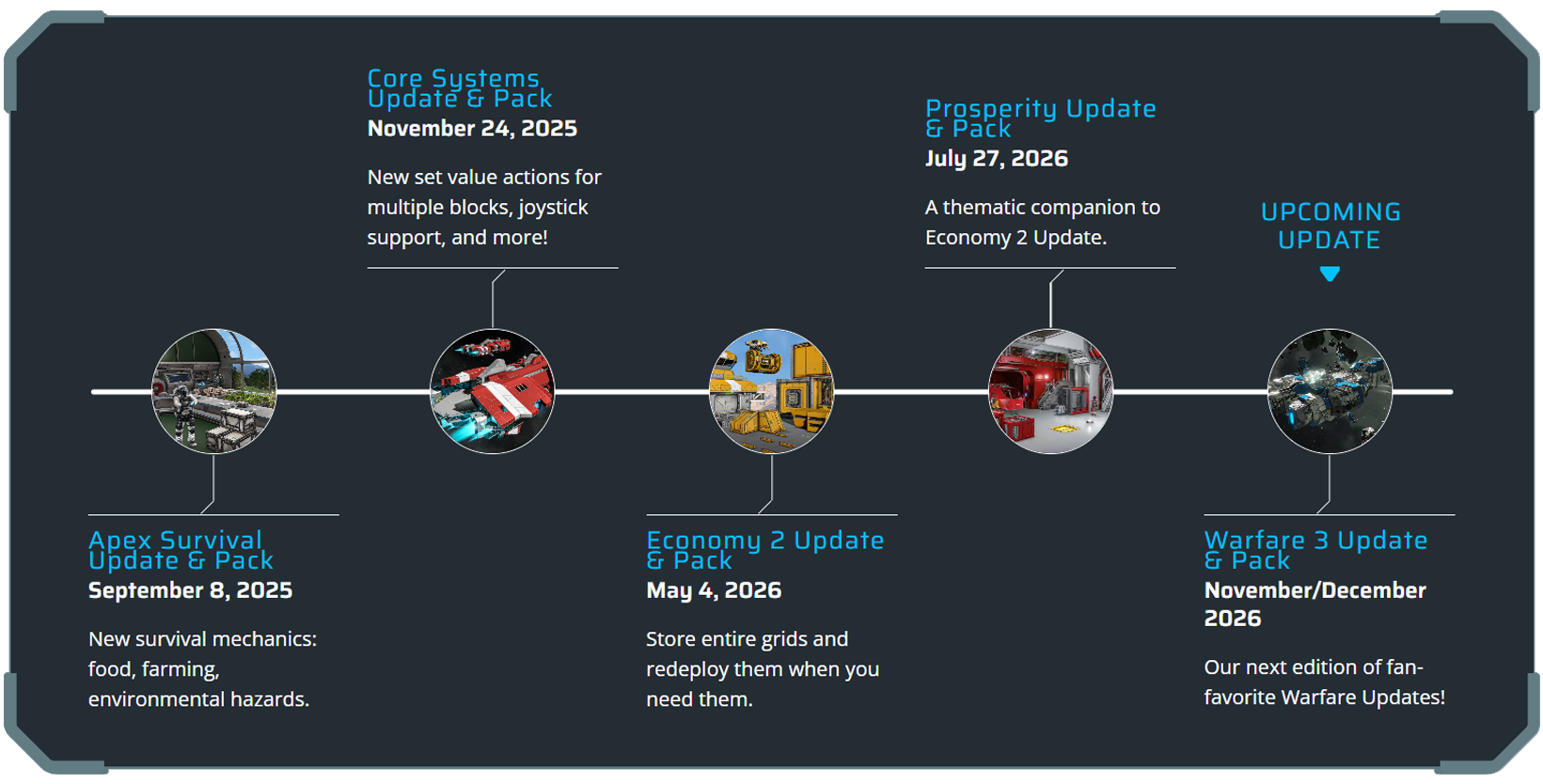
Our next Space Engineers update, Warfare 3, is shaping up to be a big one! We aim to deliver it to you in November/December 2026.
Expect new weapon types, new combat systems, and changes designed to make battles, PvP, and ship-to-ship engagements more dynamic. This time, your weapons may not be aimed only at other players… There are new threats on the horizon.
Check out our new Roadmap!
Community Hub & Spotlights
Check out our Community Hub!
- Official Keen Workshop
- Monthly Spotlights
- Creator Spotlights
- Official Guides
- and much more!
Follow our social media to get the latest news!
- Twitter/X: https://x.com/SpaceEngineersG
- Facebook: https://www.facebook.com/SpaceEngineers
- TikTok: https://www.tiktok.com/@keenswh
- Instagram: https://www.instagram.com/keenswh/
- Space Engineers & Keen Software House Connect Page






First!
Second